Contents
Overview
Simple Categories
Complex Categories
View / Print Categories
Overview
Categories are administered from the System Utilities Module.
From the Main Menu, select Manage DataSet; Categories Management; then
select the type of Category, and then the Specific Category.
Categories cannot be deleted, but may be amended. Checks to
see if they have been used are NOT made. It is thus important NOT to
make changes to Categories which you know have contractual or
operational implications. If you wish to remove a category from use, we
suggest using a descripotion of "Do No Use". Alternatively, a category
can be merged with another in the Document Utilities thus removing it.
Many of the categories are related to parameters. Thus please
read the previous section in this manual about parameters BEFORE
starting to amend the categories. Some categories have mandatory
entries viz:
- General Documents - Form Types.
There are two generic types of category:
- Simple - a code letter (which is never seen by the User,
but may be needed if bespoke reports are generated), and a short
description limited to 15 characters.
- Complex - as above, but with some additional information.
Please see the "Using TDOC - About Screens" section for the
operation of Save and Cancel buttons etc.
Back to Contents
|
| Simple
Categories |
| The simple categories are listed
here. |
- Administration
- Organisation Types - used in the Names Register
- Positions - used in the Names Register
- Job/Contract Types - used in the Jobs Register
- Group Types - used in the Groups Register
- There must always be a Work Package group
type, which is defined in the Parameters.
- A group type may also be flagged as a
Handover Documentation.
- Subject Types - used in the Subjects Register
- Technical Documents
- Document Types
- Document Sizes
- Material Types
- General Documents
- Work Package Management
- Event Types - These must be in the logical
sequence required
- Diary Types
- Contact Mode
- Contact Reason
- Contact Status
- Inspection Tasks
- TimeSheet Activities
|
| Categories Browse |
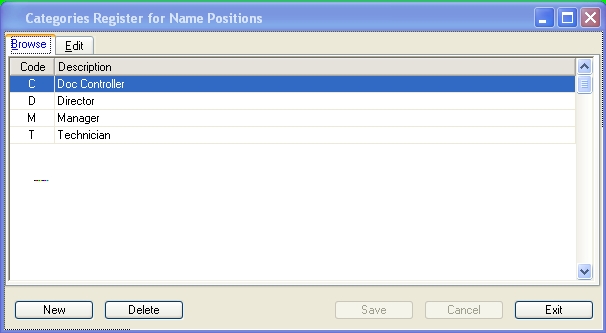 |
| Categories Edit |
 |
| Back
to Contents |
|
| Complex
Categories |
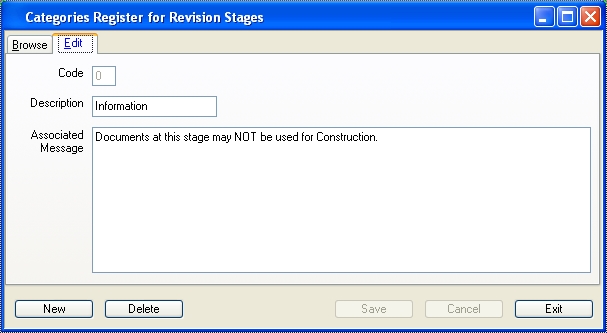
| Technical Documents
Categories with Message |
|
There are two categories which hace an associated
message, namely:
- Return Status (of a Document)
- Revision Stage (of an Own Document)
|
|
 |
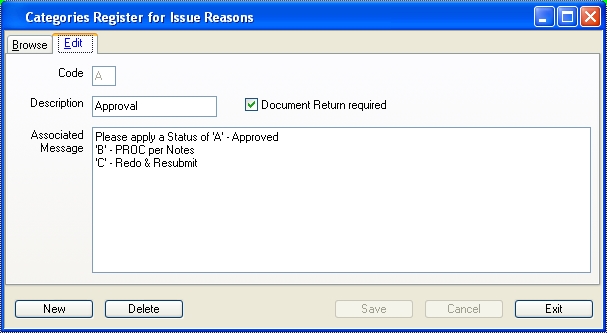
| Categories with Message and
Action |
|
There are two categories where the recipient is
requested to perform an action and respond, namely:
- Technical Documents
- Reason for Issue (of a Document) on a Transmittal
Notes covering the issue of a documents.
- General Document
- Action Requested (of a Document) on a General
Document sent or copied to someone for action.
|
|
 |
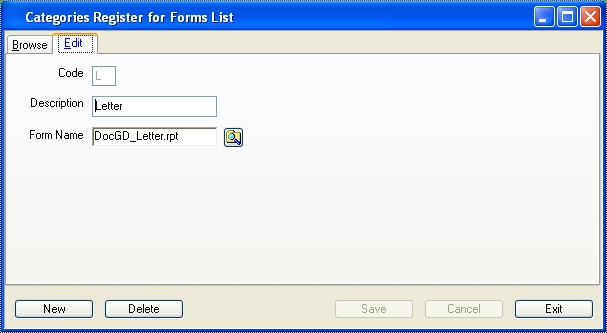
| General Document Category -
Form Type |
|
When generated, a Form needs a report layout in order
for it to be generated. The layouts may be edited. The following form
types are mandatory:
- Letter - At least ONE outgoing fornm type must exist,
- RFI / TQ - Request and Response
- Instructions - Receipt and Issue [for use with
Project Management module],
- Change Requests - Request and Response [for use with
Project Management module],
These document types are mandatory (Prescribed), and indicated as such.
Other forms needing a special layout may be added as needed. |
|
 |
| Work Package Category - Risk |
|
The Risk category is for use with Project Management
module. |
|
 |
| Back
to Contents |
|
| View
/ Print Categories |
|
A list of the items in any category can be printed from
the following modules, from the main menu by selecting:
- Document Control, User Actions, or Reports &
Enquiries modules: Administration, Categories
- System Utilities module: Manage Dataset, Categories -
Quick View
Select the Category and right click for a print menu, selecting the
required output mode. |
| Enquiry |
 |
| Preview |
 /A /A |
| Back
to Contents |
|
Continue
to User Configuration