When a TDOC module is launched, the following steps take place one after the other:
- The System Settings dialog (as described in Setting to Work; User
Configuration; Paths, which enables selection of the Datapath) is
shown,
- If the option to log onto the last used data set has been set, then the logon skips this step, except:
- If any of the paths is invalid, then the dialog is shown in any event,
- The System Utilities module always shows the dialog.
- The System Checks are performed. These include checking:
- That the database version matches the software,
- That the database is intact,
- That the parameters and categories are Ok,
- When the System Utilities is used, a number of extended checks are carried out, and any necessary upgrades are automatically performed,
- Shows any warnings including:
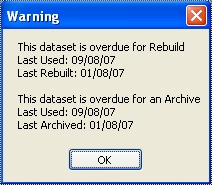
- Whether backups or database maintenance are overdue,
- The status of the annual support contract.
- Either Logon is prevented, or the Logon screen is shown.
Controller.
Manager,
Controller.
Manager,
Controller,
Internal People.
- Dongle, which may be used:
- "Locally" providing a single licence being attached to the Users pc, or
- "Concurrently" providing a single licence being mounted on a server with "Licence Manager" software.
- Licenced to the Hard Disk
- Providing the opportunity for a "Free Trial" whiuch limits the volume of information which can be managed,
- Providing a single licence for the purchased modules.
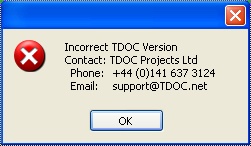
- Either TDOC proceeds to allow the user to Logon,
- Or a warning message is displayed, following which the user may Logon,
- Or an error message is displayed, and Logon is prevented.
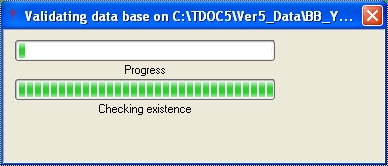
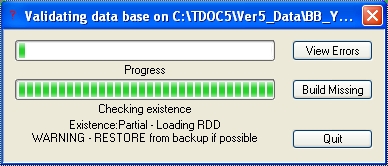
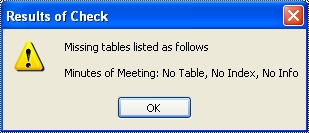
If any errors are found, then the following screen is presented, with a "View Errors" button which shows the user details of the problems which are also summarised by the message "Existence Partial".
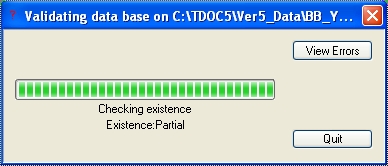
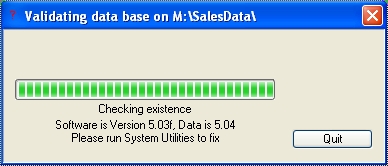
Error Results Screen
The System Utilities has additional options to recover or upgrade as appropriate using the "Build Missing" button.
- Entering the Name Reference of the user. This is simplified as the previously used Reference is entered automatically. As a reference is entered, the Names Register is checked, and when found the details are displayed.
- Entering the User's Password. TDOC supports the use of a "Blank" password, viz nothing has to be entered.

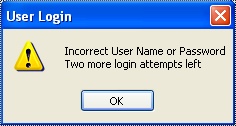
- Contact TDOC Support who will issue a Password to be entered as the Password.
- Pressing the Help button will list up to ten people with
Supervisor rights. If there aren't any, one will be added.
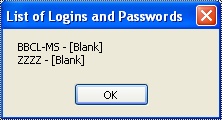
- Enter one of the Usernames and its associated password, and logon with the Ok button.