

The TDOC System - Version 5.12.03 - Uploaded 5th June 2020
PLEASE read ALL the Notes below
The TDOC Installs are safe but do NOT carry the Microsoft Certificate. The TDOC installations are created using Inno Setup.
Download the software
Item
Description
Mb
Document Controller and Administration Modules only, with Report Layouts and Demo Data
9.6
Document Controller, User, Viewer, Utilities, and Administration Modules.
18.4
Report Layouts are included in the Basic Installation
0.8
Manual
The TDOC Manual is online at http://www.tdocplus.co.uk/tdoc_manual/
Download Manual in Zip Format
Download Web Site in Zip Format
Language
Please contact us - you must first create the language translations which is done using the System Administration module - and then send the results to us.
Windows XP only - Download missing OS dlls
0.7
Installation & Setup Notes
Passwords
There are no installation passwords. If you have locked yourself out of the software, you must contact TDOC Support by This email address is being protected from spambots. You need JavaScript enabled to view it. for instructions as to how to unlock your software.
Email Setup
When using TDOC on Windows 7 and above, you MUST ensure that all the necessary access privileges are set correctly. This includes allowing TDOC to access email programs for sending mail, and for launching other applications to view and or amend or markup attached documents.
In Windows 7 and above, please do not use the MAPI setting for email if you use Microsoft Outlook, set the email to the Outlook setting instead.
The Email facility in TDOC requires that an email protocol has been selected, and that the logged-on user has a valid email address.
In Windows 7 and above, please do not use the MAPI setting for email if you use Microsoft Outlook, set the email to the Outlook setting instead.
The Email facility in TDOC requires that an email protocol has been selected, and that the logged-on user has a valid email address.
Upgrading
BEFORE upgrading, ensure that you make a backup of your data and existing software.
There is a bug in the upgrade, reinstallation, or repair of XP and Vista which leaves out some MSVC dlls, which must then be reinstalled.
Having made backups, install into the appropriate directory, overwriting existing files. You must run the System Utilities to upgrade EVERY dataset.
There is a bug in the upgrade, reinstallation, or repair of XP and Vista which leaves out some MSVC dlls, which must then be reinstalled.
Having made backups, install into the appropriate directory, overwriting existing files. You must run the System Utilities to upgrade EVERY dataset.
Notes on Window's User Access Rights
Directory
User Rights Required
Notes
Software
Read, Write, Create, Delete
The user's personal configuration information is stored in TDOC.INI
In the event of an error occurring, a log file is created with a name based on the time, viz Thhmmss.ERR.
In the event of an error occurring, a log file is created with a name based on the time, viz Thhmmss.ERR.
Spool
Read, Write, Create, Delete
Temporary files of various types are created and may be deleted.
Incoming
Read, Delete
The default directory from which imports and attachments are made.
Reports
Read, [Write]
Write is only required if the user will be modifying the layouts
For multi user installations, should be on a server.
For multi user installations, should be on a server.
Data
Read, Write, Create, Delete
For multi user installations, must be on a server.
Other information - Printing to PDF, Licencing, Client Server Engine, and future development.

Printing to PDF requires PDF995
- PDF995 works seamlessly with TDOC.
- Please purchase and download from http://www.pdf995.com
- For configuration, please read the TDOC Manual - see above
There are three types of Licencing - FREE [default], Local, and for server networks by using HASP4
Local
Local Licensing for a single computer [single or multi user working] is still available if required.
A local license is available on application to TDOC Support. It prevents users from moving or copying the software.
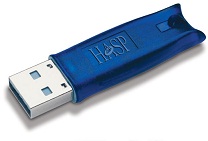
Hasp Dongle Licensing is still available if required - it is NOT free. It allows management and control of the users, and limits the concurrent number of users.
Please contact us for more information. Hasp4 is now owned by SolidCam.
Please contact us for more information. Hasp4 is now owned by SolidCam.
TDOC has been designed to use the Advantage Client Server Engine

The Advantage Client Server Engine is now owned by SAP. Details by clicking here.
Advantage enables operation of TDOC not only over a Local Area Network, but also a Wide Area Network [the Internet].
It may be that some alteration to the code and drivers might be needed - see below.
Advantage enables operation of TDOC not only over a Local Area Network, but also a Wide Area Network [the Internet].
It may be that some alteration to the code and drivers might be needed - see below.
Future Developments- by competent third parties
Open Source
The TDOC Source Code is available to people who can demonstrate the following:
- that they are capable of programming in an appropriate language such as CA Visual Objects, or one of its successors like Vulcan.
- that they have a good knowledge of CEMDC as opposed to "file management" etc.
If you want to proceed, please contact TDOC Support by