
Install
NOT in the Joomla Extensions Directory list ??
BUT Google finds it here:
https://extensions.joomla.org/extension/sigplus/
Download site
https://bitbucket.org/hunyadi/sigplus/downloads/
Configure
System Manage Plugins
Search Sigplus.
Enable content and search - Disable button - faster manually !
Configure Plugin:
- Base folder: images/sigplus
- Preview size - 250 by 250
- Paging buttons - Hide
- Wrap around at end - Off
- Default Title - No Title
- Default Summary - No Description
- Exptert - Clean database on save - Yes
Operation testing ... showing the JCE config mods to make the toolbar fit my usual browser size.


Testing Sigplus - single photo
See the instructions here: https://hunyadi.info.hu/sigplus/sigplus-plugin-module-syntax. Scroll to Activating the Lightbox.
First test the syntax exactly as per the page - Create a lightbox-powered link to a local image.
Owl - of course no such photo here so great - get a big red warning triangle.
[Negative reaction from Google: The link does NOT exist - this test was to show what happens when the image is missing]
Now for a real image.
Removing Akeeba Backup 8 message - works a treat !

Last test the tags wrapped around an image. 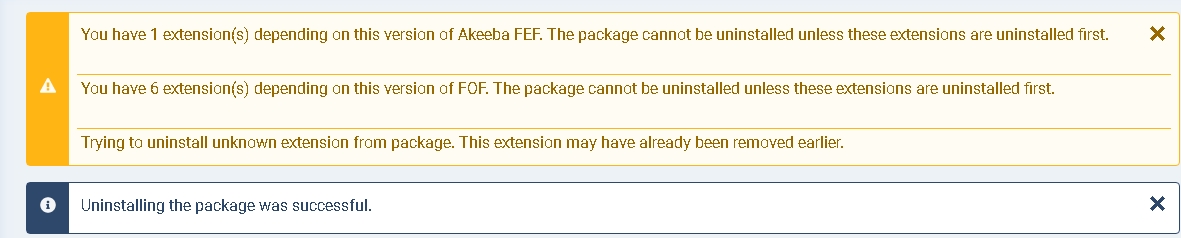 - click the image and it works - ace.
An alternative to "handcranked" sigplus for a single photo.
The alterenative is to use Joomla's "Link Mechanism" with the link type set to "popup". For that one requires a "popup" extension, and the one selected has been JCE's MediaBox.
The way that Mavik Thumbs worked was a follows:
- An image is put into an article - just by inserting from the images directory.
- The image is resized to suit the article using whatever editor.
- When the article is saved, Mavik took a copy of the reduced [resized] image and stored it in a thumbnail directory.
- When the article is displayed, Mavik checks to see if a thumbnail exists and renders that instead of the full size image - so it used to be a lot faster. But with much improved internet speeds, this is no longer the case.
- When the image is clicked, it pops up in its full size.
Thus the number of tasks is much reduced. To do it manually would require:
- Working out the size needed,
- Resizing the image and saving a copy external to Joomla,
- Uploading the smaller copy,
- Linking in the smaller copy.
This work can be achieved by calling "lightbox" directly but it's a lot of work.
As I already have [thanks to Joomla 3 and Mavik] all the necessary reduced size images, the work is much reduced to:
- Optionally, change the link to the reduced size image - and with much faster internet speeds it gives little noticeable benefit.
- Insert a link to the image in the normal manner remembering to select "popup". The above image in the lightbox example is shown below using JCE Mediabox
